This is how you can upload documents to your employees’ profiles.
Login in to ADP > My Team > Employment > Employee Documents
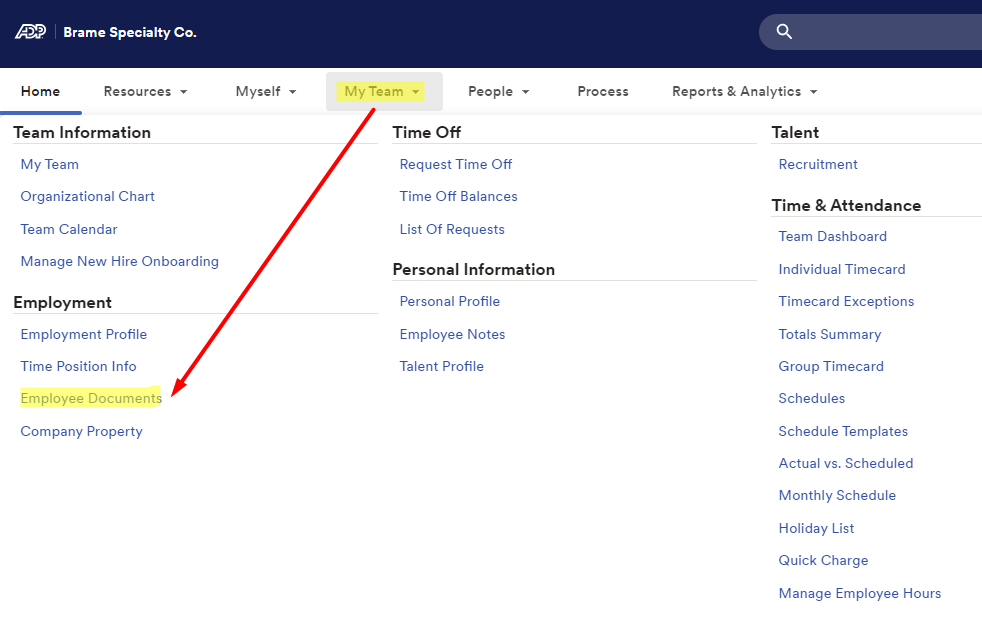
Search for Employee that you want to upload a document to their employee profile

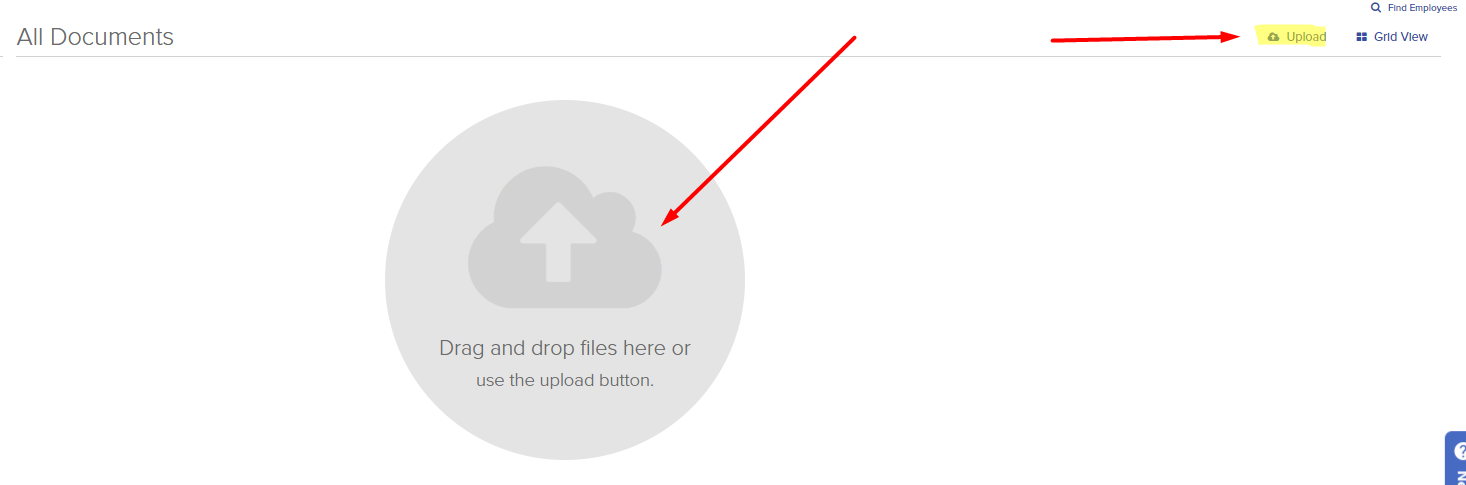
Click on ‘Upload’ button or drag and drop the file
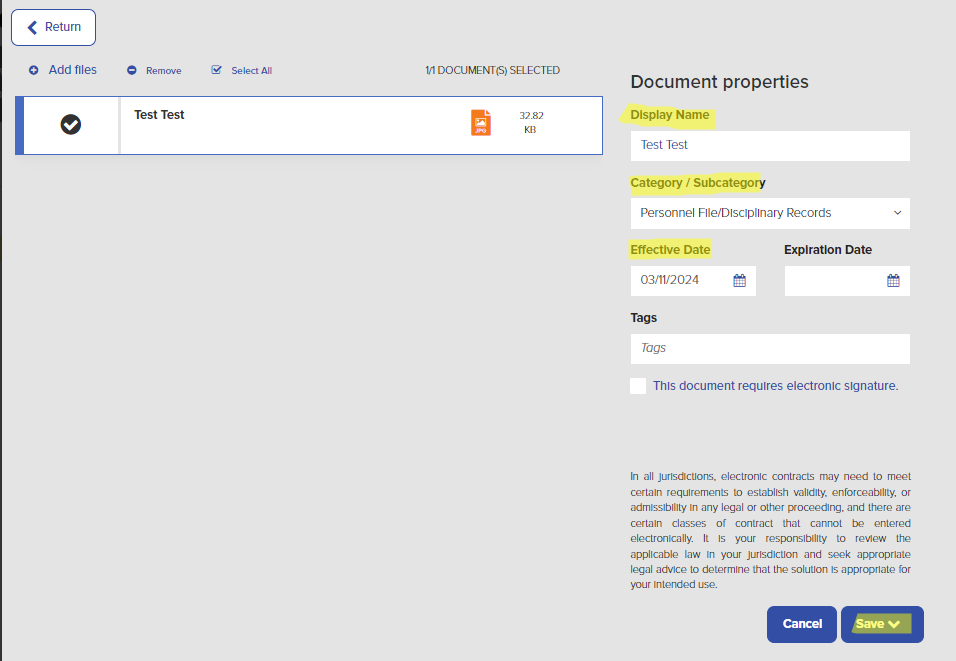
Enter in and select the correct Document Properties
Display Name: What is the document?
Category/Subcategory: Use drop down menu to select
Effective Date: Enter in effective date
Expiration Date: Leave Blank
Tags: Leave Blank
Click Save
To be able to view documents for your employees Login in to ADP > My Team > Employment > Employee Documents
Search for the employee you wish to view
Was this article helpful?
That’s Great!
Thank you for your feedback
Sorry! We couldn't be helpful
Thank you for your feedback
Feedback sent
We appreciate your effort and will try to fix the article