Hi Manager,
You will need to login to ADP to terminate an employee.
ADP > My Team > Employment > Employment Profile
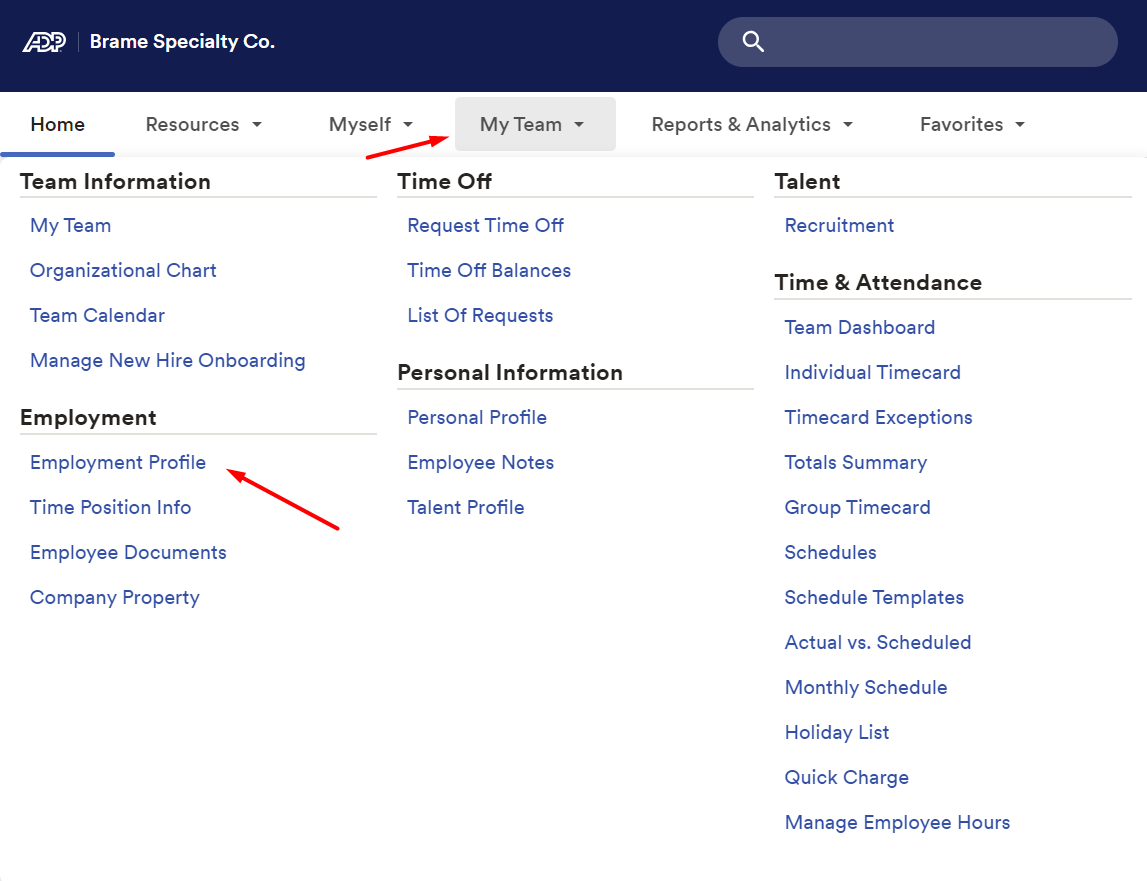
Search for employee

Once you have the employee selected that you need to make the change for. Click on Start Employee Change. Select Terminate
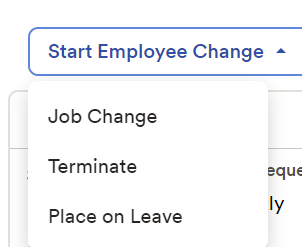
Follow the prompts.
Separation Reason | Description | Voluntary or Involuntary |
Resignation - Relocation | Used when an employee is relocating to another city/state. | Voluntary |
Resignation - Compensation | Used when an employee is leaving the company for reasons of compensations and for no other reason. | Voluntary |
Resignation - Retirement | Used when an employee is retiring from the company. | Voluntary |
Resignation - Work Related | Used when an employee is dissatisfied with the position. | Voluntary |
Resignation - Other Opportunity | Used when an employee accepts a job with another employer. | Voluntary |
Termination - Insubordination | Used when an employee is terminated for failing to follow instructions. | Involuntary |
Termination - Violation Rules/Policies | Used when an employee is terminated for any violation of the company's handbook, policies, etc. | Involuntary |
Termination - Violation Safety Rules | Used when an employee is terminated for any violation of the company's safety rules. | Involuntary |
Termination - Report Influence Alcohol-Drugs | Used when an employee is terminated for reporting to work under the influence of alcohol or drugs. | Involuntary |
Termination - Excessive Absenteeism | Used when an employee is terminated for excessive absenteeism. | Involuntary |
Termination - Poor Performance | Used when an employee is terminated for poor performance. | Involuntary |
Termination - No Call No Show | Used when an employee is terminated for no call no show for 3 days. | Involuntary |
Termination – Exhausted Leave | Used when an employee is terminated because they exhausted their FMLA leave | Involuntary |
Click Next
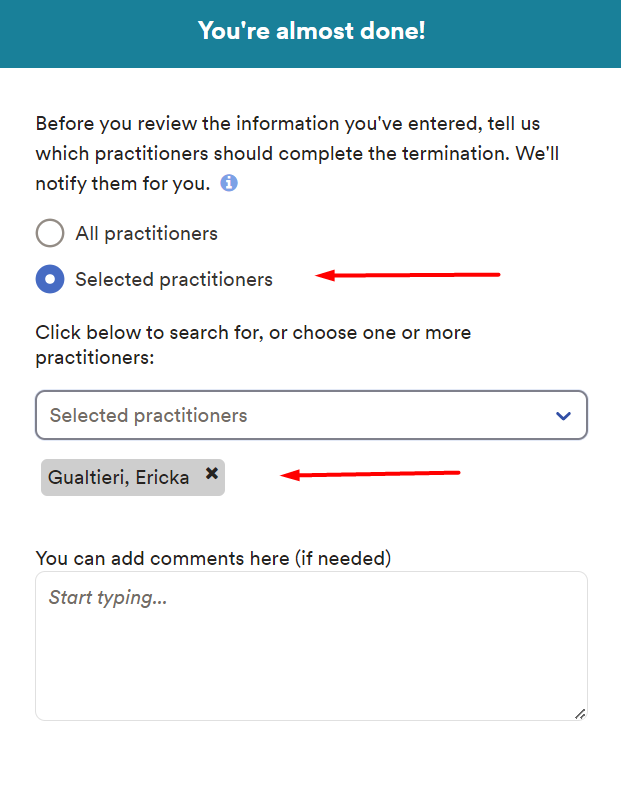
Click on Selected Practitioners and select – Ericka Gualtieri
Click Next
Review details once approved then click on the Submit button
Let me know if you have any questions.
Thank you,
Ericka
Was this article helpful?
That’s Great!
Thank you for your feedback
Sorry! We couldn't be helpful
Thank you for your feedback
Feedback sent
We appreciate your effort and will try to fix the article