Changing Job Change ADP

Created by Ericka Gualtieri, Modified on Wed, 18 Dec, 2024 at 10:53 AM by Ericka Gualtieri

Hi Manager,


To make a job change for your employee you will first need to login to ADP.   


ADP > My Team > Employment > Employment Profile  
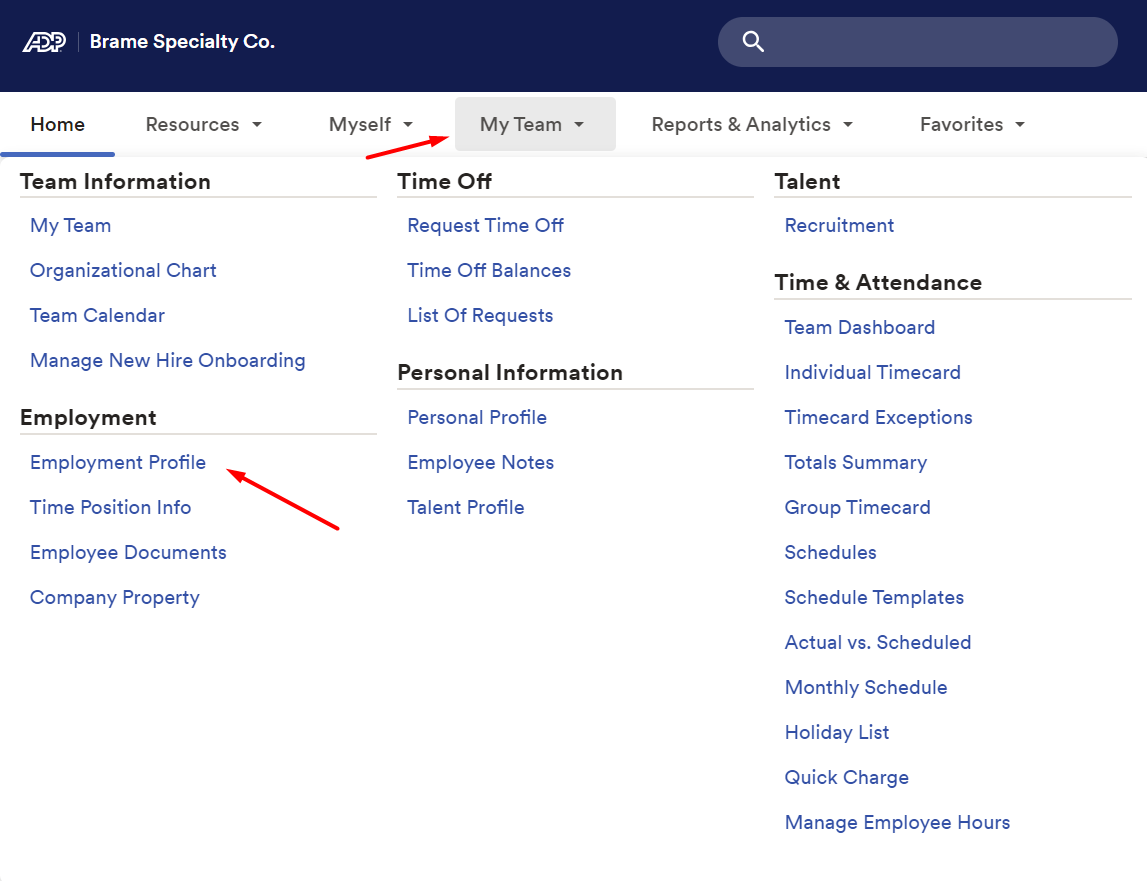
 

A screenshot of a computer

Description automatically generated


Search for employee 


A screenshot of a computer

Description automatically generated


Once you have the employee selected that you need to make the change for.  Click on Start Employee Change. Click on Job Change.  Follow the prompts.  
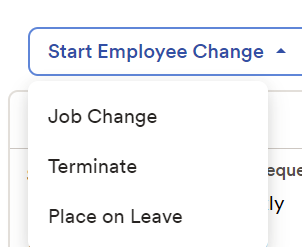
 

            A screenshot of a phone

Description automatically generated


Job Change Reason 

Description 

Promotion 

Used when an employee is promoted from one position to another position which has greater responsibilities and is in a higher pay grade.  A promotion will involve a change in title, pay grade and a salary increase.

Demotion

Used when an employee is demoted from one position to another position which has less responsibilities and is in a lower pay grade.  A demotion will involve a change in title, pay grade and a salary reduction. Documented poor performance should be included and reviewed before demotion occurs.

Position Change - Other

Used when an employee has any of the following situations: 

  • Moving from Full Time to Part Time
  • Moving from Part Time to Full Time 
  • Relocating to another branch 
  • Changing or moving to another manager
  • Title Change
  • Reorganization – Moving to another Department 


Notes/reason required.     You must indicate the reason for the job change. 

Pay Change - Annual Increase 

Used for the employees Annual Increase. 

Pay Change - Other

Used when no other option is valid. Notes/reason required. 

Pay Change - Training Completed 

Used when an employee completes required training, and they get a pay increase.


If you have any questions please let me know. 


Thank you,


Ericka 


Was this article helpful?

That’s Great!

Thank you for your feedback

Sorry! We couldn't be helpful

Thank you for your feedback

Let us know how can we improve this article!

Select at least one of the reasons

Feedback sent

We appreciate your effort and will try to fix the article
