Things you will need
- Your Brame Account Number (can be found on your recent invoice)
- Your email address
- Visit the Brame eCommerce platform.
- Look for the option to log in or register for an account.
- Select the "Convert Existing Brame Account" option.
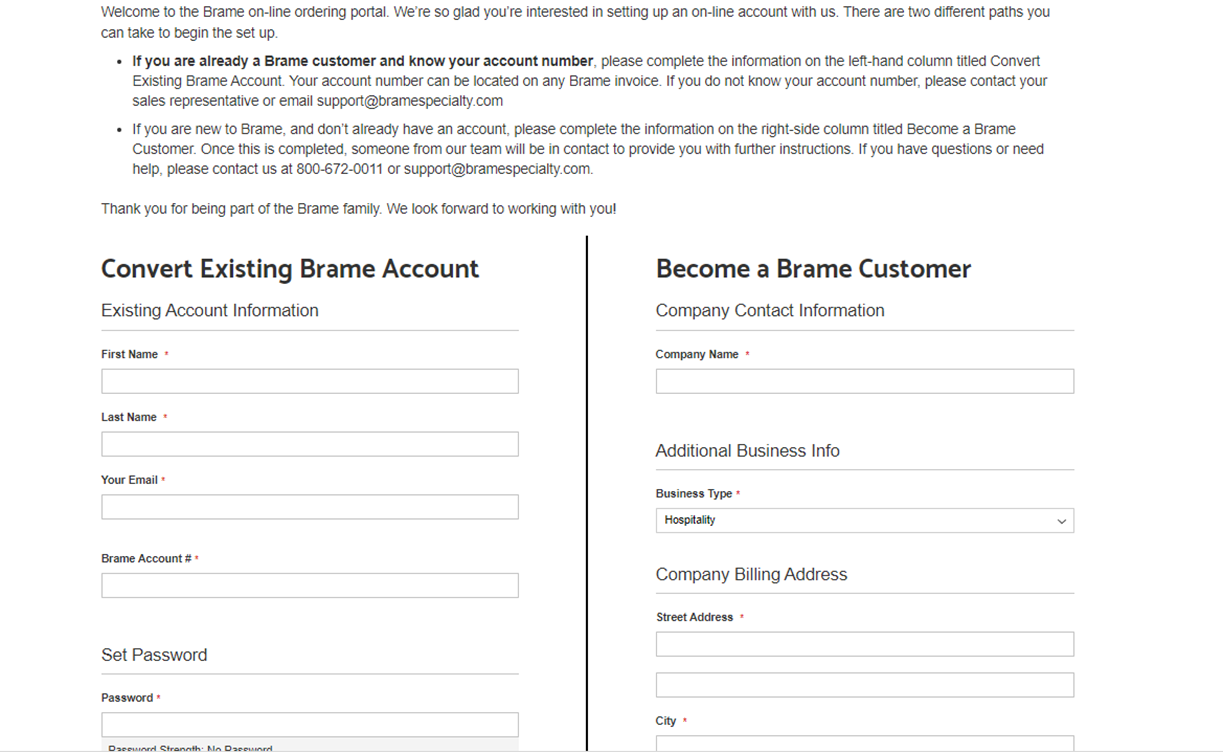
- Follow the prompts to provide the necessary company and user details to complete the conversion process.
- Once the required information is entered, the existing account will be officially converted to a Brame customer account.
- You will receive an email from info@Bramespecialty.com Welcoming you to the website there will be a link to set your password. Make sure to click on the link within 24 hours as the link expires.
Was this article helpful?
That’s Great!
Thank you for your feedback
Sorry! We couldn't be helpful
Thank you for your feedback
Feedback sent
We appreciate your effort and will try to fix the article